
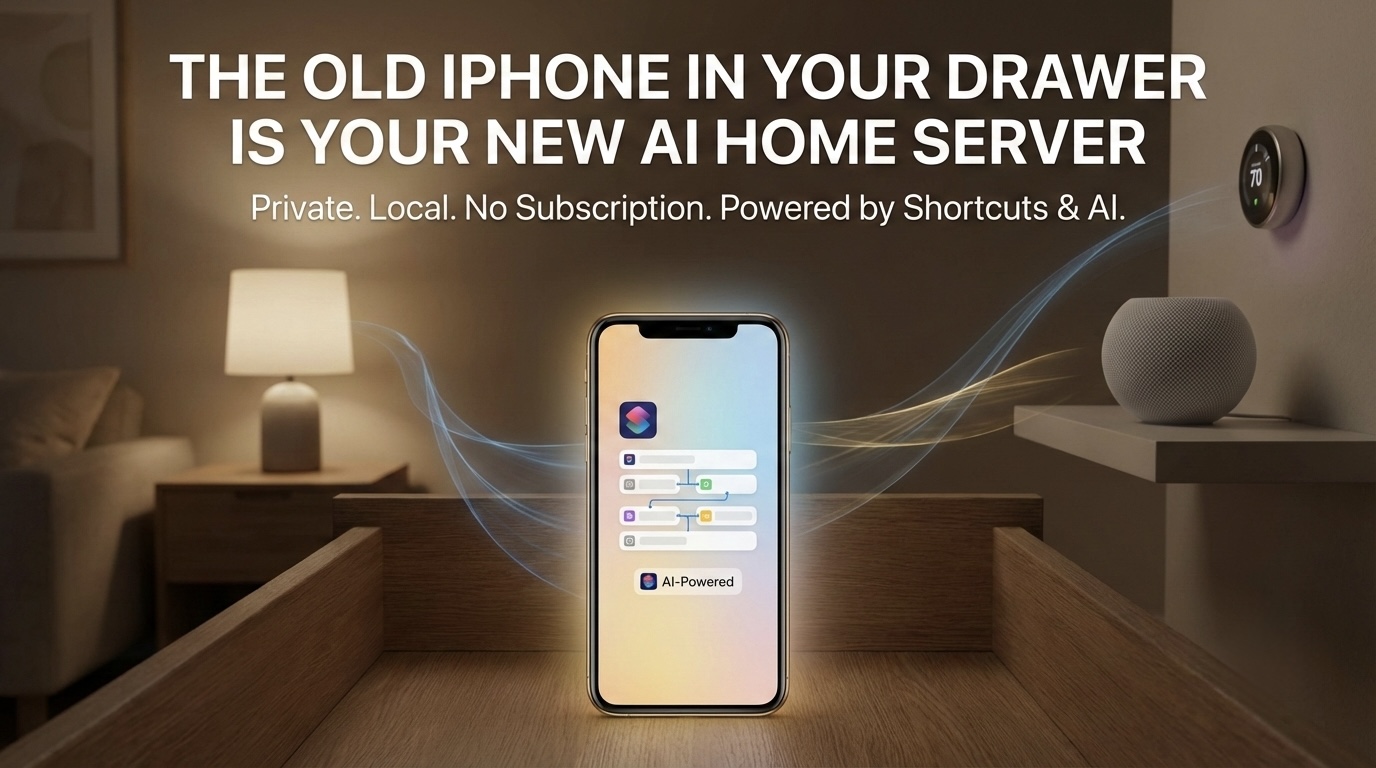
There's an old iPhone in your drawer right now that can control every smart device in your home, read your health data, run automations on a schedule, process images with on-device machine learning, and respond to HTTP requests from any system on the internet. It can do all of this privately — on your network, behind Apple's security model, with no cloud dependency and no subscription. The only thing standing between that device and a deeply personalized, always-on automation server is the realization that it's possible.
And you don't need to be technical to use it. With Maurice OS installed on that old iPhone and Apple Shortcuts as your building blocks, you already have everything you need — and the capabilities go far beyond what Shortcuts alone can do. Maurice uses Bluetooth mesh networking for presence detection, so it knows when you walk into a room without cameras, motion sensors, or any additional hardware. Walk into your home office for the first time that morning and it triggers an automation that generates a personalized AI radio briefing — your calendar, your priority emails, the news topics you care about — and plays it through your office Sonos. You didn't tap anything. You didn't open an app. The system knew you arrived and acted.
Or consider GoTime — a service built into Maurice that pushes custom announcements over Apple Home hubs via intercom. That means your notifications don't just land on one device. They broadcast across every Apple device in your ecosystem: your HomePod in the kitchen, your Apple Watch on your wrist, your iPhone in your pocket, your CarPlay dashboard on the commute. "Your 2 o'clock meeting starts in 15 minutes." "The kids' pickup is in 30." "The package you've been waiting for just arrived." These aren't generic push notifications buried in a notification center — they're spoken, contextual announcements delivered wherever you are, generated by automations you designed.
Every automation runs locally on the device — private by default, on your network, never touching a cloud unless you decide it should. And because the execution layer is iOS Shortcuts, you get something most automation platforms never offer: full transparency. Every action is visible. Every data access is permissioned. Every trigger is logged. You're not trusting a black box — you can open any Shortcut and see exactly what it does, what it reads, and where that data goes. You built it. You control it. You can change it anytime.
Maurice turns each of those Shortcuts into an HTTP endpoint — meaning they're not just automations you trigger by hand, they're services running on your own home server that can be called by anything. Keep it entirely local if that's what you want. Or open it up: a simple webhook, a scheduled cron job, a script on your laptop. If you want to go further, an AI agent platform like OpenClaw can reason about your environment and orchestrate those endpoints intelligently. The architecture is HTTP, so the ceiling is as high as you want it to be — but the floor is just you, your iPhone, and your Shortcuts, running privately on your own hardware with complete visibility into every automation that fires.
That's the shift most people haven't processed yet. For decades, building something with technology meant knowing the language. You needed Python to talk to a server, Swift to talk to an iPhone, JavaScript to talk to a browser. The syntax was the gatekeeper. The no-code movement tried to fix this by replacing syntax with visual builders and parameter-based workflows. Shortcuts took it further — giving anyone the ability to chain together real device capabilities on iOS: HomeKit scenes, HealthKit queries, NFC triggers, HTTP requests, on-device ML — all without writing a line of code. And now, with the right software on a dedicated device, those personal automations become callable infrastructure.
Then AI agents entered the picture, and the whole equation leveled up again. But here's the thing — no-code wasn't replaced. It was completed. The real barrier was never just syntax. It was knowing what the devices around you can actually do — and having an architecture that lets you act on that knowledge securely, personally, and without asking anyone's permission.

No-Code Got It Right. AI Finished the Job.
Think about the last time you wanted to automate something in your life. Maybe you wanted your lights to turn off when you left the house, or you wanted a daily summary of your calendar sent to your phone at 6 AM. A few years ago, the no-code answer was pretty good: open Apple Shortcuts, chain together a few actions, set a trigger, done. No Xcode. No Swift. Just parameters, toggles, and logic blocks. For millions of people, Shortcuts became the on-ramp to thinking like a builder — you picked an action, configured its inputs, and connected it to the next step.
That paradigm still holds. Even now, with AI generating code on demand, the convenience of a parameter-based, visual workflow hasn't gone away. It's actually more relevant. Because what Shortcuts taught people — often without them realizing it — was how to think in terms of device capabilities. Every action in a Shortcuts workflow is essentially a statement: "I know my phone can do this, so I'm going to use it." Get current location. Read health data. Control a HomeKit scene. Send a message. Each block is a capability made accessible without syntax.
AI didn't kill no-code. It graduated it. The drag-and-drop builder was step one — learning what's possible. The AI agent is step two — describing what you want in plain language and letting the machine handle the wiring. But both steps depend on the same foundational skill: knowing what your devices can actually do.
But here's what most people miss: the AI can only build what you can envision. And you can only envision solutions if you understand the capabilities of the hardware and software sitting around you. That understanding — that technical capability awareness — is becoming the most valuable skill in the room.
You Don't Need to Speak the Language. You Need to Know the Terrain.
Consider the iPhone sitting in your pocket. Most people know it makes calls, sends texts, runs apps. But do you know it has a built-in accelerometer, gyroscope, barometer, LiDAR scanner (on Pro models), NFC reader, UWB chip, and a neural engine capable of running machine learning models locally? Do you know it can act as a HomeKit hub, process health data through HealthKit, trigger automations through Shortcuts, and expose all of that functionality through REST APIs if you set it up correctly?
That's the difference. Not knowing how to write the Swift code that reads the barometer — but knowing that the barometer exists and that its data can be accessed programmatically. This is exactly what made Shortcuts so powerful as a no-code tool on iPhone: it surfaced capabilities that most people never knew existed. Suddenly you could see that your phone could read NFC tags, query your HealthKit data, convert units, make HTTP requests, and control smart home devices — all from a visual action list. The code was hidden. The capabilities were exposed.
Once you have that awareness, you can walk into a conversation with an AI agent and say: "I want to track atmospheric pressure changes in my home office and get an alert when a storm front is approaching." And the agent builds it — maybe as a Shortcut, maybe as a script, maybe as an API call chain. The implementation doesn't matter. The capability awareness does.
The person who doesn't know the barometer exists never thinks to ask.
Shortcuts: Deep Personalization Without Giving Everything Away
This is where Apple Shortcuts deserves more credit than it gets. Most people think of Shortcuts as a cute automation tool — maybe you built one that converts photos to PDFs or texts your partner when you leave work. But underneath that friendly interface is something genuinely powerful: the ability to deeply personalize how your device behaves, what data it processes, and how it connects to the world around you.
Want a morning briefing that pulls your calendar, checks the weather at your specific location, reads your HealthKit sleep data from last night, and formats it all into a single notification? That's a Shortcut. Want to scan an NFC tag on your nightstand that dims the lights, sets a sleep timer on your HomePod, locks the front door, and logs the time to a health journal? That's a Shortcut. Want to process an image through on-device machine learning, extract text, and save it to a specific note? Shortcut. These aren't toy automations. They're custom-built workflows that reshape how a billion-dollar piece of hardware serves you specifically.
And here's what separates Shortcuts from most of the cloud-based no-code tools: security. When you build a Zapier workflow or an IFTTT applet, your data routes through third-party servers. Your triggers, your content, your context — all of it passes through infrastructure you don't control. Shortcuts runs on-device. Your health data, your location, your photos, your messages — they stay on the iPhone. The processing happens locally. Apple's permission model means each Shortcut has to explicitly request access to sensitive data, and you approve it. There's no ambient data harvesting happening in the background.
This matters more than people realize. As we move into an era where AI agents are orchestrating automations across our devices, the question of where your data lives during that process becomes critical. A Shortcut that reads your heart rate data and adjusts your evening routine doesn't need to send that data to a cloud server. It processes it right there on the device, behind the Secure Enclave, inside Apple's sandboxed environment. That's a fundamentally different security posture than piping your personal data through a chain of third-party APIs.
Personalization That Compounds
The real power of Shortcuts isn't any single automation — it's the compounding effect of building a library of them. Each Shortcut you create is a personalized capability you've added to your device. Over time, your iPhone stops being a generic consumer product and starts becoming your tool, configured to your workflows, with your data flowing through your logic. No two people's Shortcuts libraries look the same, because no two people's lives work the same way.
This is the kind of deep personalization that code used to be required for. You'd need a developer to build a custom app that did exactly what you wanted. Now you open Shortcuts, browse the available actions — which are essentially a menu of your device's capabilities — and wire them together. The app becomes the development environment. The parameters become the programming language. And the result is software that's custom-built for a single user: you.
Your First Home Server Is Already in a Drawer
Here's a concept that's new for most people: a home server. Not a rack-mounted machine humming in a closet. Not a NAS box with blinking lights. Just a device — plugged in, connected to WiFi, always on — running automations on your behalf, locally, privately, around the clock.
For the tech-savvy crowd, home servers have been a thing for years. Raspberry Pi setups, Home Assistant installations, Docker containers running on old laptops. More recently, there's a trend of people buying Mac Minis and giving AI agents root access to their entire digital life — email, calendar, bank accounts, SSH keys — in the name of automation. What could go wrong? The answer, predictably, is everything. An unsandboxed AI agent with root access is a liability disguised as a convenience.
But for everyone else, the phrase "home server" sounds like something that requires a networking degree and a dedicated room. It doesn't. Not anymore. And it doesn't need to be dangerous, either.
That old iPhone you upgraded from last year? Plug it in. Connect it to your WiFi. It's a home server. It has more processing power than most dedicated home automation hubs on the market. It has a camera, a microphone, Bluetooth, GPS, and a neural engine. It already knows how to talk to every HomeKit device in your house. It already has access to Shortcuts. The only thing it was missing was software that treats it like what it is: an always-on automation platform.
This is what shifts the entire equation. A Shortcut on your daily-carry iPhone is useful, but it's limited — it runs when you trigger it, or on a schedule, and it competes with everything else you're doing on that device. A Shortcut running on a dedicated device that's plugged into power, sitting on your shelf, doing nothing but waiting for instructions? That's infrastructure. That's a server. And the only thing you need to do to keep it running is make sure it's plugged in and connected.
Local, Remote, and Yours
The beauty of a home server — especially one running on iOS — is that it works in both directions. Locally, it can monitor your home network, control your smart devices, process sensor data, and run automations without touching the internet. Your data never leaves your house. Your health information stays on the device. Your HomeKit commands travel across your local network and nowhere else.
But it also works remotely. With the right setup, you can trigger automations on your home server from anywhere in the world. Leaving the office? Fire off a command that tells your home server to preheat the oven, turn on the porch lights, and start your evening playlist. On vacation? Check your home's air quality sensors, review camera feeds, or adjust your thermostat — all through a device you own, running logic you built, without routing through some company's cloud that might get breached, sunset their API, or start charging you a monthly fee.
This is a level of control that most people don't realize is available to them. The cloud-based smart home platforms — Google Home, Alexa, SmartThings — they all work. But they work on someone else's terms. Your automations run on their servers. Your voice recordings pass through their infrastructure. Your routines are limited to what their app allows. A home server flips that entire model. You decide what runs, when it runs, how it connects, and who has access. The personalization isn't bounded by a product manager's roadmap. It's bounded by your imagination and the capabilities of the device.
And for most people, the mental leap isn't technical — it's conceptual. The idea that you can run your own server, in your own home, that does exactly what you want, with no subscription, no cloud dependency, and no specialized hardware. Just an old phone, a charger, and a WiFi connection.
Capability Mapping Is the New Literacy
I've started thinking about this as capability mapping — the practice of understanding, at a functional level, what every device and platform in your environment can do. Not the implementation details. Not the API schemas. Just the capabilities.
Your smart TV can display web content and receive network commands. Your router logs every device connection. Your old iPhone in a drawer still has a camera, microphone, GPS, and a processor that outperforms most laptops from ten years ago. Your car's OBD-II port streams real-time engine diagnostics. Your watch tracks your heart rate continuously.
Each one of these is a node in a system you haven't built yet — because you might not have realized what was possible.
The Architecture That Makes This Real
It's worth pausing on a design decision that makes everything we've been talking about actually work in practice — because it's subtle, and it's the kind of thing that separates a clever idea from a usable system.
The problem with most automation platforms is the integration layer. You want System A to talk to System B, so you need a connector, a webhook, an API key, a middleware service, or some glue code sitting on a server somewhere. Every new connection is a new dependency. Every dependency is a new thing that can break, go offline, change its pricing, or deprecate its API. This is why most people's "smart homes" are really just a collection of apps that occasionally talk to each other through somebody else's cloud.
Here's what Maurice OS does differently. It takes the Shortcuts that already exist on an iOS device and exposes them as HTTP endpoints. That's it. That's the architectural insight. Every Shortcut you've built — or could build — becomes a callable URL. Any system that can make an HTTP request can now trigger any automation on your iPhone. That's not a proprietary protocol. That's not a custom SDK you have to learn. It's the most universal integration pattern in computing: a simple web request.
Think about what that unlocks. A Node.js script on your laptop can trigger a Shortcut. A cron job on a Raspberry Pi can trigger a Shortcut. A webhook from GitHub, Stripe, or your CRM can trigger a Shortcut. An AI agent reasoning about your calendar can trigger a Shortcut. Any system that speaks HTTP — which is effectively every system — now has a direct line into every capability your iOS device exposes. HomeKit, HealthKit, Shortcuts actions, camera, sensors, on-device ML — all of it becomes reachable through the protocol the entire internet already agrees on.
The elegance is in what you don't need. You don't need a proprietary hub. You don't need a cloud relay service. You don't need to learn a new automation language. You just need a URL and a payload. The Shortcut handles the iOS-specific complexity — the permission prompts, the sandboxing, the API calls to system frameworks. The HTTP layer handles the connectivity. The two concerns stay cleanly separated.
Stop Over-Engineering. Start Shipping.
There's a growing realization in the developer community that the AI automation space has an over-engineering problem. People are architecting elaborate orchestration layers, custom agent runners, Kubernetes deployments, and "enterprise-grade" infrastructure for workflows that are, at their core, just scheduled tasks. The honest truth is that 90% of useful AI automation boils down to "run a thing on a schedule and do something with the result." It doesn't need a platform. It needs reliability.
Some developers have figured this out — they're running their automations on GitHub Actions with a cron trigger, a few API keys stored in secrets, and a sandboxed environment that can't touch anything it shouldn't. No Docker. No Kubernetes. No AI agent with root access to their email, calendar, and bank accounts. It's unglamorous, but it works, it's free, and it actually ships.
Maurice takes that same philosophy — simple, sandboxed, actually runs — and brings it to people who don't think in YAML files and CI pipelines. You don't need to configure a GitHub Actions workflow, manage repository secrets, or understand cron syntax. You build a Shortcut. Maurice runs it. The iOS sandbox ensures it can only access what you've explicitly permitted. And because it's a physical device in your home rather than a container in someone else's data center, you're not trusting a cloud provider to keep your API keys safe or hoping your free tier doesn't get deprecated next quarter.
The best automation infrastructure isn't the most sophisticated. It's the one that actually runs, costs almost nothing, and can't destroy your life when something goes wrong. A sandboxed iPhone running Shortcuts on your shelf checks every one of those boxes — and it does it without asking you to become a DevOps engineer first.
One Home for Your AI Context
There's a second architectural idea here that matters just as much, and it's one that most people in the AI space haven't fully grappled with yet: where does your AI's context live?
Right now, most AI interactions are stateless. You talk to an agent, it does something, and then the context evaporates. Your preferences, your patterns, the data it gathered about your environment — gone. The next time you interact, you start from scratch. Some platforms are bolting on memory layers, but those memories live on someone else's server, governed by someone else's retention policies, accessible to someone else's models.
A home server changes this equation. When your AI agent interacts with an iPhone running Maurice OS, it's not just triggering a Shortcut and walking away. It's working with a device that persists. The device holds your HomeKit configuration — it knows your rooms, your devices, your scenes. It holds your HealthKit history. It holds your Shortcuts library, which is itself a map of how you've chosen to interact with your environment. That's semi-transient context — not permanent like a database, not ephemeral like a chat session, but a living, evolving picture of your world that updates as your world changes.
This gives an AI agent something it almost never gets: a home. A place where the context it needs already exists, maintained by the natural rhythms of a device you use every day. The agent doesn't have to ask you what smart devices you have — it can query HomeKit. It doesn't have to guess your health patterns — it can read HealthKit. It doesn't have to build automations from scratch — it can see what Shortcuts already exist and build on top of them. The device becomes the AI's working memory, and because it's your device, that memory is as private and personal as you want it to be.
This is fundamentally different from handing your context to a cloud service and hoping they handle it well. Your context lives on your hardware. It's encrypted by your device. It's governed by your permissions. And it's available to any AI agent you choose to connect — through the same HTTP endpoints that make everything else work.

With OpenClaw handling AI reasoning and orchestration, and Maurice OS turning the device into an endpoint-rich, context-aware home server, the full picture comes together: the AI thinks, the iPhone executes, and the data stays where you can see it. No terminal commands. No Linux partitions. No cloud accounts to manage. Just an iPhone doing what iPhones are quietly incredible at — running sophisticated software reliably, securely, and efficiently — with an architecture that makes it accessible to anything that can send an HTTP request.
From "How Do I Code This?" to "What Can This Device Do?"
This reframing changes everything about how we approach problem-solving. The old question was: "How do I build this?" The new question is: "What do I have access to, and what can it do?"
Here's a practical example. Say you're a small business owner and you want to know when foot traffic near your storefront picks up, so you can time your sidewalk sign placement. Old world: you hire a developer, install sensors, write custom software, pay for a cloud service. New world: you realize the old iPad mounted by your door has a camera with object detection capabilities. You point an AI agent at it, describe what you want, and it creates an automation that counts people passing by and sends you a notification when activity spikes.
Same outcome. Radically different barrier to entry. But only if you knew the iPad could do object detection in the first place. The no-code layer makes the execution accessible — you might build part of this as a Shortcut that triggers a notification when a network request comes in. The AI layer handles the complexity you don't want to touch. But your awareness of what that hardware can do is the spark that starts the whole thing.
The Skills That Matter Now
The people who will build the most interesting things in the next few years won't necessarily be the best programmers. They'll be the ones who deeply understand:
- What sensors and interfaces their devices expose
- What no-code tools like Shortcuts already make accessible on their existing hardware
- What data flows are possible between systems
- What physical and digital capabilities exist in their environment
- How to describe a desired outcome clearly enough for an AI to execute it
That last point is underrated. Prompt clarity isn't about fancy prompt engineering tricks. It's about having a precise mental model of what's possible, so you can describe what you want without ambiguity.
The Takeaway
We're entering an era where the most powerful technical skill isn't writing code — it's understanding the technical landscape around you. No-code gave us the first version of this insight: you don't need syntax, you need structured access to capabilities. Shortcuts proved it on iPhone — turning sensors, services, and system features into configurable building blocks that anyone could chain together, with a security model that keeps your data where it belongs. The home server concept makes it always-on. The right architecture — Shortcuts as HTTP endpoints, your device as the AI's context home — makes it all connectable.
But the constant across every era — code, no-code, AI — is the same: you have to know what's possible before you can build anything. The people who invest in understanding what their technology can actually do — not just what it was sold to do — are going to build deeply personal, genuinely secure, always-running solutions that the rest of the world didn't think was possible.
And they won't write a single line of code to do it.