
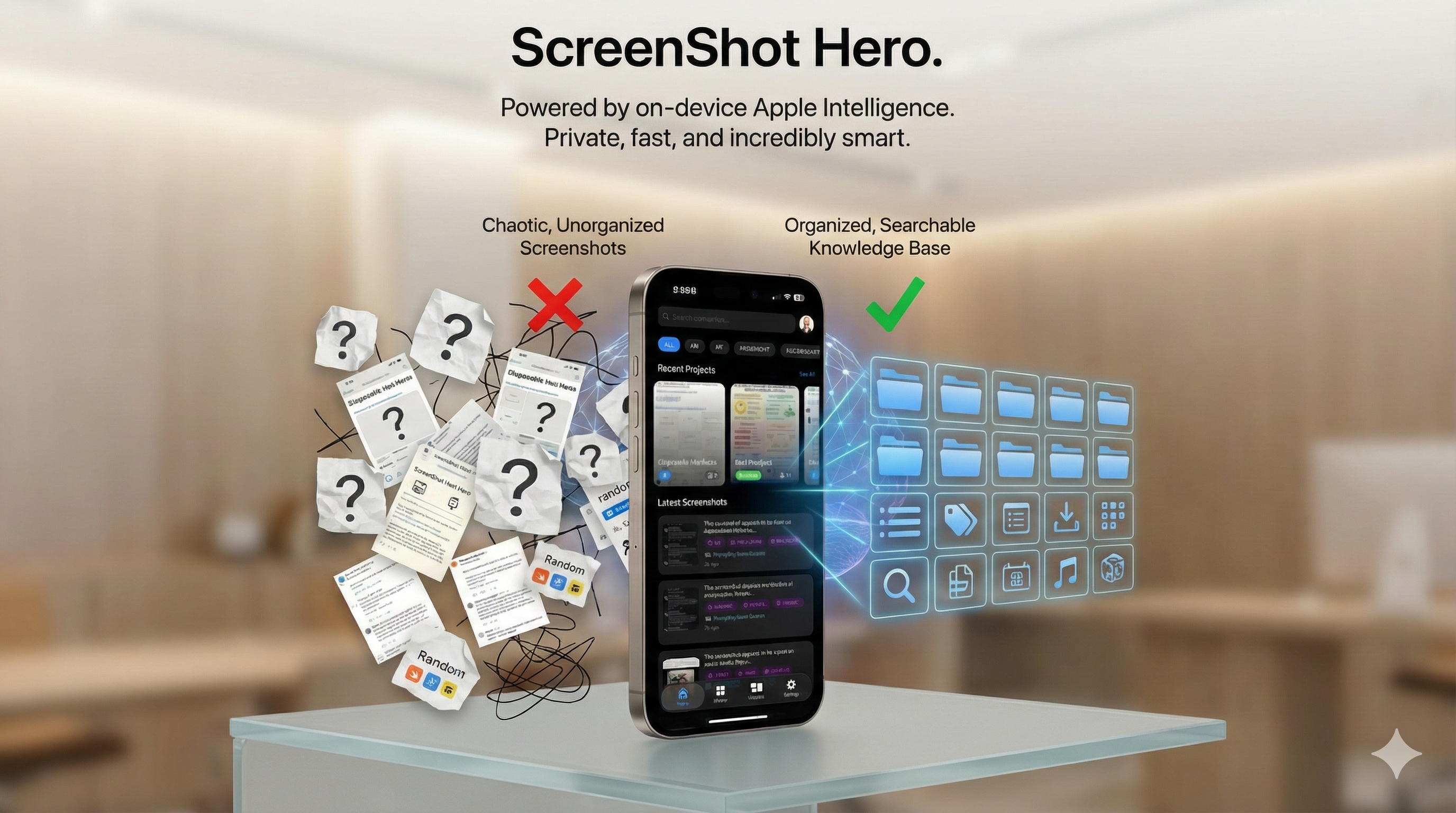
I’ve always taken a lot of screenshots. I’m well past 4,000 now, mostly ideas I save from LinkedIn, bits of inspiring design and illustration, and things I don’t want to lose but don’t have time to think through in the moment. I wanted to explore the Apple Foundation Models and Apple Intelligence more deeply, and my growing screenshot library felt like the most honest place to do it.
Screenshots are not photos
The first realization that mattered was simple but fundamental: screenshots are not photos. Photos are memories. Screenshots are intentions. When I take a photo, I want to remember a moment. When I take a screenshot, I want to do something later. That distinction sounds small, but it changes everything. A screenshot is a promise you make to yourself. “This matters.” “I’ll come back to this.” “I’ll need this later.” And yet, most of the time, later never comes. Not because the screenshot wasn’t important, but because it became impossible to retrieve.
I thought the problem was organization
For a long time, I believed this was my fault. If I just made albums. If I just deleted more aggressively. If I just stopped screenshotting so much. I tried folders, naming conventions, and monthly cleanups. None of it worked, because I was solving the wrong problem. Organization assumes you already know where something is. My problem was that I didn’t. I wasn’t looking for “IMG_4821.” I was looking for “that screenshot with the meeting time,” or “the receipt from last week,” or “the screen where Apple talked about on-device intelligence.” That isn’t a filing problem. It’s a retrieval problem.
The uncomfortable truth about screenshots
People take a lot of screenshots. Some people have hundreds. Some have thousands. Some have tens of thousands. And the more screenshots you take, the worse Photos search feels. Screenshots tend to look the same at a glance: white backgrounds, text blocks, app chrome, very few visual anchors. Scrolling becomes the default behavior, and scrolling is a terrible interface for memory. At some point, I realized I had built a personal dataset without a query engine.
The moment it clicked
The turning point came when I started paying attention to why I screenshot things. I wasn’t doing it randomly. I was doing it because screenshots are the fastest capture tool we have. Faster than copying text. Faster than writing a note. Faster than saving a link. Screenshotting is frictionless intent capture. But capture without retrieval is just hoarding. That’s when the idea for ScreenShot Hero became clear: what if screenshots behaved like a knowledge base instead of a photo album?
What I wanted ScreenShot Hero to be
Before writing any code, I wrote down constraints. It had to work with screenshots I already had. It had to respect privacy by default. It had to run on device. It had to make finding things feel instant. And it had to understand meaning, not just text. Most importantly, it had to feel boring in the best way possible. No gimmicks. No novelty. Just “I found it.”
Why Apple Intelligence mattered
I didn’t want to ship another cloud AI app. Screenshots are deeply personal. They include private conversations, addresses, receipts, login codes, health information, work material, and half-formed ideas you never intended to share. The intelligence had to live on the device. Apple Intelligence made this possible in a way that aligned with my values: on-device processing, strong privacy guarantees, no accounts, and no data leaving the phone. That architectural choice shaped everything else.
The real technical problem
From the outside, ScreenShot Hero looks simple: search your screenshots. Under the hood, it’s not. Screenshots are unstructured data. A single image can contain text, UI elements, app context, topics, entities like names and amounts, and implied meaning that isn’t written anywhere. OCR is necessary, but it isn’t enough. If all you do is extract text, you still can’t answer whether something is a receipt or a message, whether it’s about travel or work, or whether it’s reference material or an action item. That’s where semantic understanding matters.
Turning screenshots into structured objects
Internally, I stopped thinking of screenshots as images and started thinking of them as objects. Each one has extracted text, a detected app, inferred topics, semantic tags, confidence scores, timestamps, and sometimes user intent. Once you do that, everything changes. Search becomes meaningful. Grouping becomes natural. Projects make sense. Screenshots start behaving like notes instead of photos.
Why search is the product
People don’t care how the system works. They care about one moment: “I typed what I remembered, and it showed me the right screenshot.” If search is slow, people stop trusting it. If search is wrong, people stop using it. Performance and accuracy matter more than flashy features. Retrieval is the product.
Projects, not folders
I deliberately avoided traditional folders because folders require upfront decisions. Projects don’t. A Project can be Work, Travel, Ideas, or something temporary you’re thinking about right now. Screenshots can belong to multiple Projects or none at all. The system helps, but it doesn’t force you. Automation should reduce friction, not create new chores.
What surprised me the most
The biggest surprise wasn’t technical. It was emotional. People don’t feel guilty about screenshot clutter because they’re lazy. They feel guilty because screenshots represent unfinished intentions. Every forgotten screenshot is a small broken promise to yourself. When people say “I finally found it,” there’s relief in that sentence. Not excitement. Relief. That’s when I knew I was building the right thing.
Privacy is not a checkbox
Privacy-first isn’t a slogan for me. It’s an architectural decision. No accounts. No tracking. No cloud uploads. No server-side indexing. Those constraints made the product harder to build, but they also made it honest. If something can’t be done privately, it doesn’t belong here.
Who this is for
ScreenShot Hero is for people who use screenshots as a thinking tool, save things they intend to revisit, have large screenshot libraries, and feel friction when trying to find information they know they saved. If that sounds familiar, you already understand the problem.
A simple test
Try this: open Photos, go to Screenshots, scroll until you feel mildly uncomfortable, and ask yourself how you would find one specific screenshot from memory. If the answer is “I wouldn’t,” that’s the gap ScreenShot Hero is trying to close.
Closing
Screenshots are not photos. They are saved intentions. ScreenShot Hero is my attempt to finally respect that intent by making screenshots searchable, private, and useful again. On device. No accounts. No noise. Just the screenshot you were looking for, when you need it.